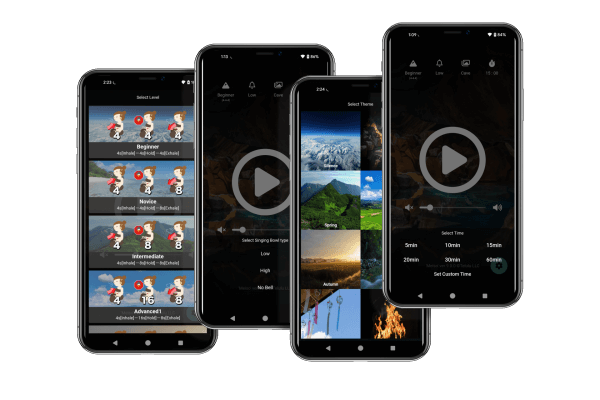
“Meiso” features an intuitive, user-friendly interface.
In just five simple steps, beginners can enjoy a full meditation experience with ease.
Additionally, advanced settings like integration with health apps for daily wellness tracking, habit-building reminders, and focus support ensure satisfaction for experienced users as well.
1.Five Simple Steps to Start Meditating
The simplest way to use “Meiso” is to select four parameters and start meditating. Anyone can easily enjoy a complete meditation experience.
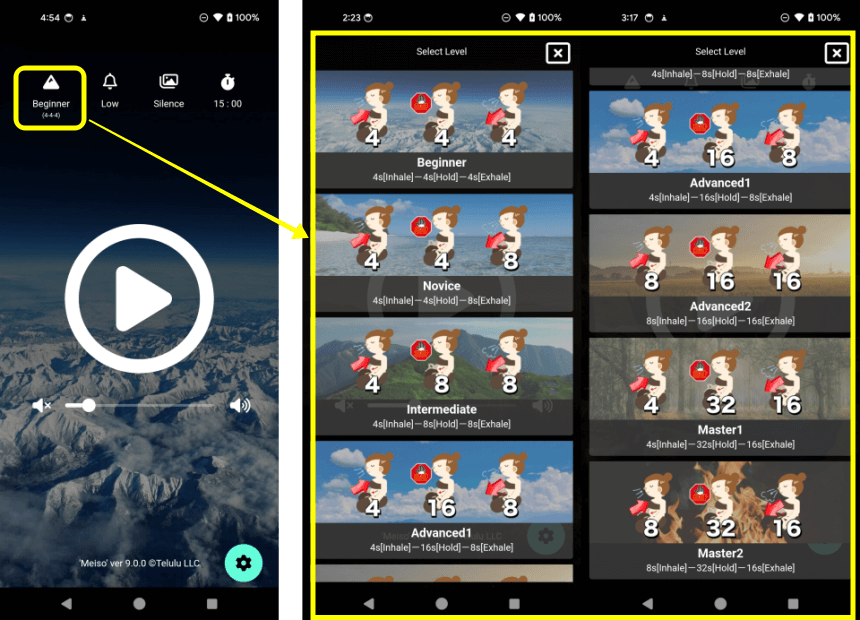
Step1.Select Level
Choose from 7 levels (Beginner to Master) for a breathing cycle (Inhale – Hold – Exhale) that suits your ability.
Gradual progression ensures comfort, making it ideal for beginners.
Step2.Select Bell
Select a singing bowl chime to guide your breathing cycle (inhale-hold-exhale).
Simply follow the chime to practice the ancient yogic technique of “Kumbhaka Pranayama.”
A silent option is also available.

Step3.Select Theme (Nature Sound)
Enhance your focus with natural sounds from 14 different themes.
Unlike background music, these pure natural sounds create a deeper meditation experience.

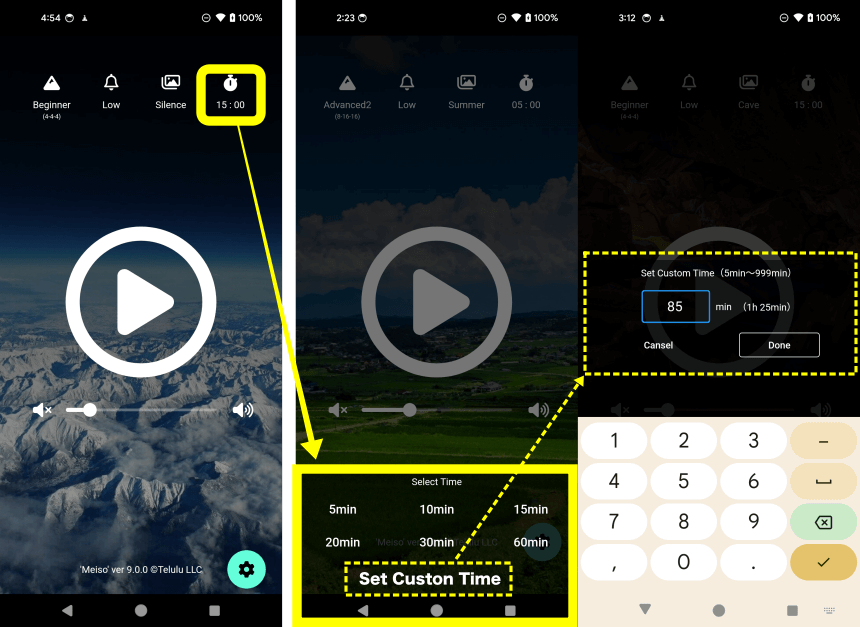
Step4.Select Duration
You can set your meditation time from 5 minutes to up to 17 hours (999 minutes) to suit your pace.
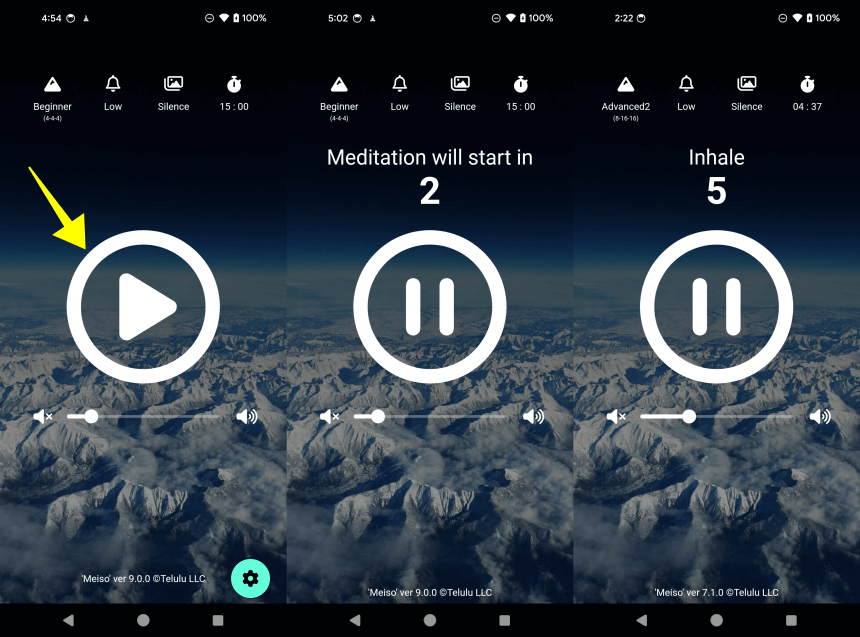
Step5.Start Meditation
Press the play button to start your meditation. Step 1-4 are saved even after closing the app, so you won’t need to reconfigure them if you keep the same parameters next time.
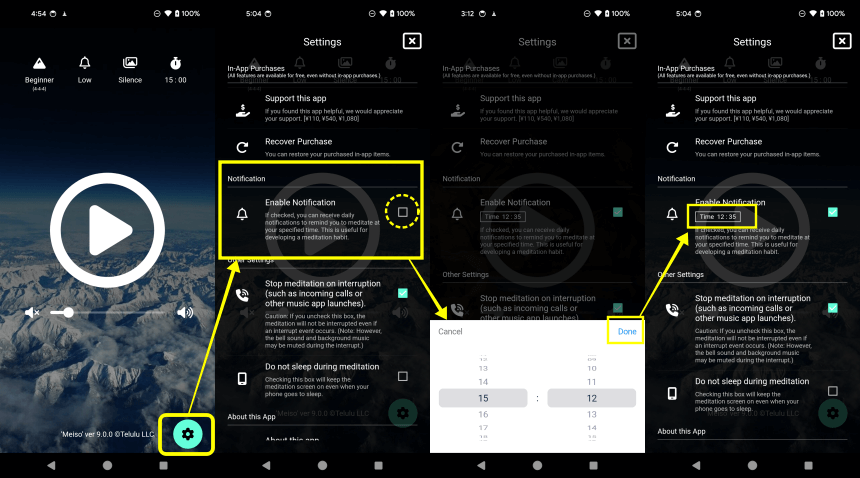
2.Daily Reminders to Help You Cultivate a Meditation Habit
Meditation becomes more effective with consistent practice.
Meiso offers a reminder feature that sends daily notifications at your chosen time, helping you integrate meditation into your busy routine without forgetting.
This support function makes it easier to establish meditation as a habit and incorporate it seamlessly into your daily life.
3.Features to Enhance Your Meditation Focus
“Meiso” includes features to eliminate distractions during meditation.
You can enable settings to block incoming calls and prevent screen lock, and with a simple tap, remove unnecessary elements from the screen.
This ensures a peaceful environment, allowing you to focus inward and fully immerse yourself in your meditation.
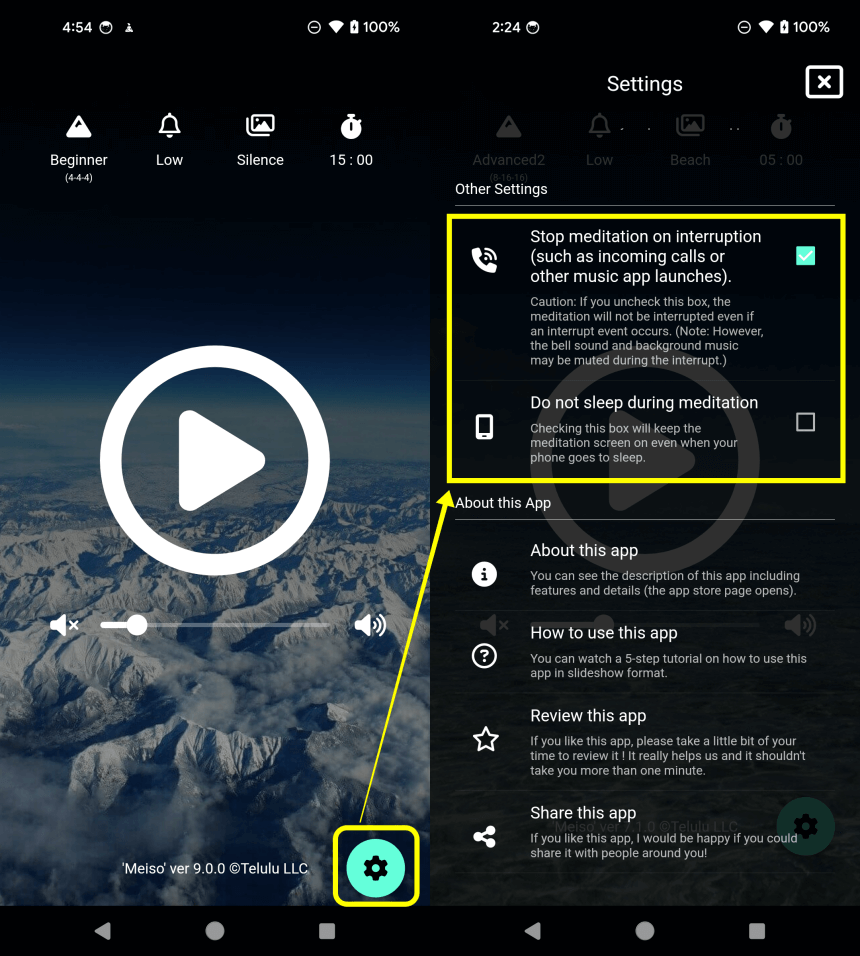
1.Do Not Disturb and Screen Lock Settings
You can prevent interruptions (such as incoming calls) from disrupting your meditation.
Additionally, the app keeps the meditation screen active even if your device enters sleep mode.
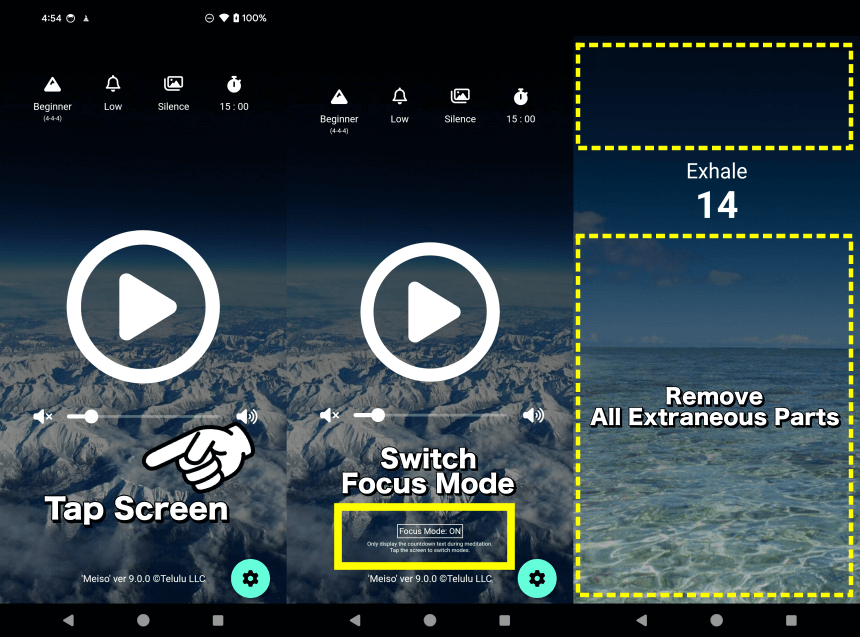
2.Remove Distractions with a Tap
During meditation, tap the screen to switch to Focus Mode, removing the status bar and other distractions for uninterrupted meditation.
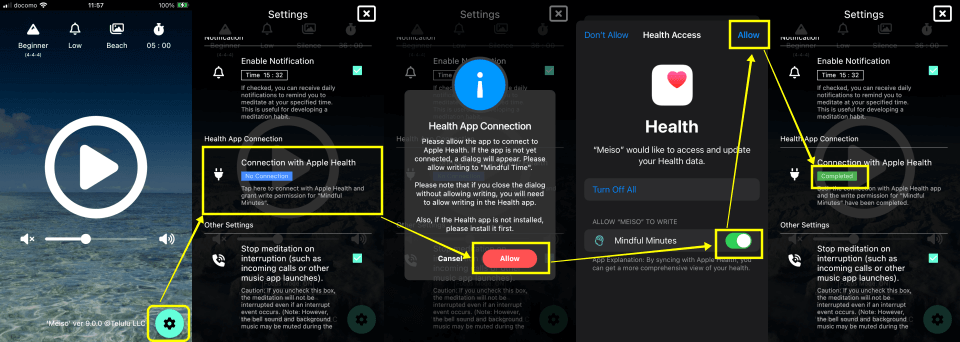
4.Integrates with Apple Health for Comprehensive Health Tracking (iOS only)
5.In App Purchases
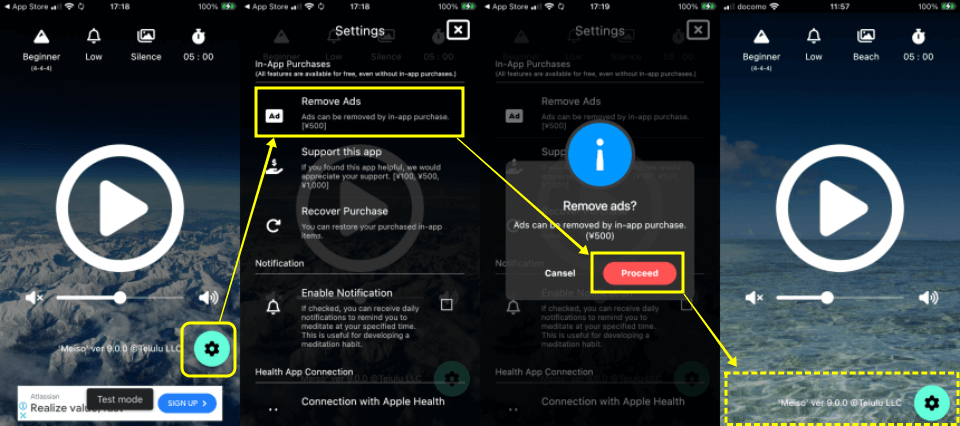
1.Remove Ads
Meiso displays banner ads during meditation and full-screen ads after sessions to support development.
However, you can remove all ads permanently with a one-time purchase.
2.Support our development
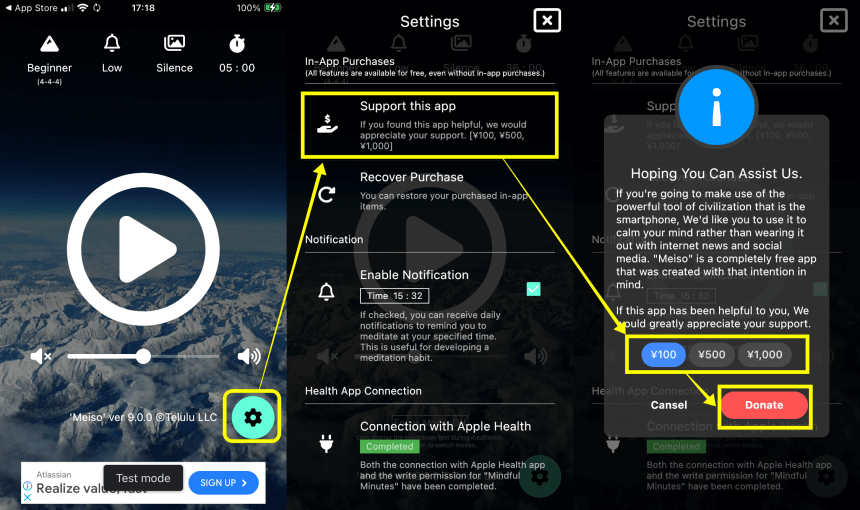
If Meiso has been helpful to you, we would greatly appreciate your support to sustain our development efforts. (You can provide support multiple times.)
Mindfulness
in Just 5 Minutes a Day!
〜Download for Free!〜
Busy everyday life?
Find your balance with Meiso.
The simplest meditation timer app.
Just 5 minutes a day.
When you feel down, anxious,
stressed, or overwhelmed,
simply open the app and meditate.
By following the guided breathing,
negative emotions will fade away,
bringing you mental and physical balance.
Reduce stress, improve focus,
and sleep better.
Download for Free!
〜Restore Your Mind and Body〜